
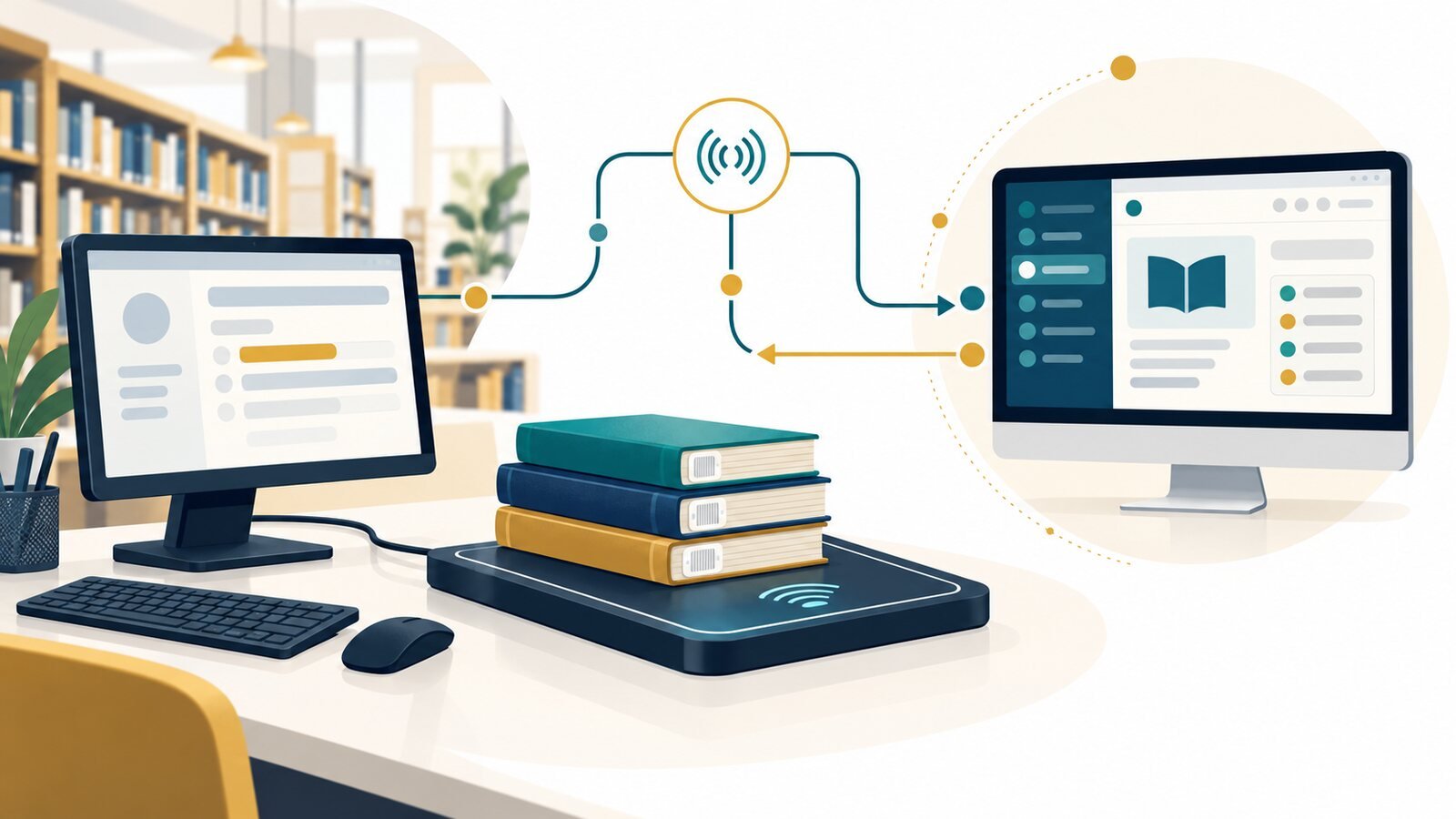
An RFID reader can capture an item identifier, but the library’s integrated library system (ILS) must still handle circulation logic. When a library uses Koha, the RFID integration design needs to specify how devices send requests, how Koha responds and what happens when an item or patron has an exception. Treating these as explicit interface questions helps avoid the assumption that any device advertised as RFID-ready will work with any Koha installation.
Separate the RFID read from the circulation decision
In a typical flow, a reader detects a tag and provides an item identifier to a staff station, kiosk or middleware. The client sends the appropriate transaction request to the library system, which checks rules and returns a result. The interface can be SIP2, another supported protocol or a vendor-specific integration; the equipment and software documentation must define which applies.
Koha’s official manual describes SIP2 in the context of communication between self-check machines and the Koha Automated Circulation System. This does not mean SIP2 is itself an RFID standard. RFID covers item identification and tag data; SIP2 is one possible communication path for circulation transactions.
Confirm the exact versions and responsibilities
Before procurement or configuration, list the Koha version and hosting model, the device models, the reader/tag technology, the supported protocol and any middleware. Confirm who supplies and configures each component, how service credentials are managed, which party handles updates, and what diagnostic logs are available.
Ask how patrons authenticate, which item identifier is passed, whether the system supports check-out, check-in or renewals, and how holds, fines, blocked accounts and unrecognized items appear to staff or patrons. Verify how the integration behaves if the connection is interrupted and how transactions are reconciled afterward.
Protect the connection and test the workflow
The Koha manual warns that SIP2 traffic crossing the internet should be protected, for example with a VPN or stunnel. Use the current security guidance for the installed version and network. Limit service access, store credentials securely, review firewall rules, and include ownership for updates and incident response.
Test in a non-production or controlled pilot environment first. Cover normal checkout and return, multiple items, renewals if used, holds, restricted accounts, invalid identifiers, timeouts, duplicate requests and recovery after a network interruption. Confirm that item records and patron records change as intended and that the user-facing message matches the system response.
Test your Koha RFID integration in a pilot
A pilot should use representative readers, kiosks, item types and staff workflows. Record the protocol/configuration, known limitations, acceptance criteria and support contacts. Review read behavior as well as circulation outcomes; successful tag detection alone does not prove that the system recorded the right transaction.
Our RFID library hardware integrates with third-party library software, including current versions of Koha. Even so, we always validate the specific hardware, software version, protocol and configuration in your environment during a pilot, before a wider rollout.
How True Tech Solutions can help
Koha is a big part of our library work. You can explore our live Koha demo catalogue at kohaopac.truetech-sol.com to see a working online catalogue. Our RFID staff stations and self-service equipment integrate with current Koha versions, and we can set up and test the integration, including SIP2 configuration and a secure connection, in a pilot before you go live.
Conclusion
A reliable Koha-RFID setup depends on a documented interface, secure configuration and end-to-end testing. Confirm the exact versions and protocols with the vendors, then pilot real transactions—including exceptions—before deploying broadly.
Library RFID series: 6 practical guides
- Beyond Barcodes: How RFID Technology Is Transforming Modern Libraries
- RFID vs. Barcodes in Libraries: What Should You Choose?
- RFID Self-Service Kiosks in Libraries: Designing a Better Checkout Journey
- Connecting RFID Library Equipment with Koha: Interfaces, Testing and Questions to Ask (you are reading this)
- Library RFID for Inventory and Shelf Reading: What to Measure Before You Start (coming 16 Nov 2026)
- Planning a Library RFID Implementation: Migration, Privacy and Staff Readiness (coming 23 Nov 2026)
Let’s talk about your library
Discuss your Koha environment and RFID requirements with True Tech Solutions.
Every library is different. You know your readers, your collection and your building; we bring hands-on experience with RFID library hardware, self-service, security and Koha. Let’s sit together, discuss your requirements and shape a solution, and a partnership, that benefits your library, your readers and our team alike. Consultations are free.
- Call +92 51 6109291
- Email info@truetech-sol.com
- Visit Office No. 255, 2nd Floor, Lexus Mall, Gulberg Green Block-B, Islamabad (Mon–Fri, 9 AM – 6 PM)
- Online Send us a message or explore our RFID library solutions
- Chat Use the chat button on this page to ask a quick question
We work with university, college, school, public and special libraries, and we welcome partnerships with institutions and integrators who share our goal of better library services.